Activity: From Raw Data to Double Graphs
In this activity we'll take raw data and turn it into:
- a double bar graph
- a double line graph
This helps us compare two related sets of data clearly.
What's Raw Data?
Raw data is data in its original form, before it has been processed, summarized, or graphed.
It is often collected by:
- measuring
- counting
- surveying
Before we can draw graphs, we must organize the data first.
Activity 1: High Score Showdown
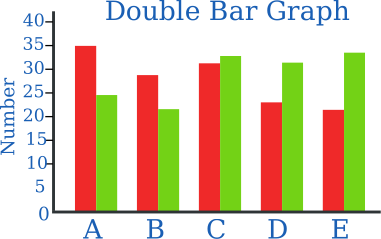
A double bar graph lets us compare two sets of data side-by-side across the same categories.
The Challenge
Two rival gaming teams, the Byte Knights and the Pixel Ninja, played 5 rounds of a game. Let's build a double bar graph to see who performed better in each round!
Raw Data: Game Scores
| Round | Byte Knights (Pts) | Pixel Ninjas (Pts) |
|---|---|---|
| Round 1 | 15 | 20 |
| Round 2 | 35 | 25 |
| Round 3 | 40 | 40 |
| Round 4 | 20 | 30 |
| Round 5 | 50 | 45 |
Step 1: Set Up the Axes
- Draw a horizontal axis (x-axis) and label it Game Round. Write the categories 1 through 5 spaced evenly apart
- Draw a vertical axis (y-axis) and label it Points Scored
- Choose a suitable scale starting at 0 and going up to 60 (counting by 5s or 10s works well)
Step 2: Draw the Side-by-Side Bars
- For Round 1, draw two bars side-by-side that touch each other:
- First bar: height of 15 (Byte Knights)
- Second bar: height of 20 (Pixel Ninjas)
- Leave a small gap, then repeat this process for Rounds 2, 3, 4, and 5
- Color or shade the bars differently (e.g., Blue for Byte Knights, Orange for Pixel Ninjas)
- Create a Key (Legend) in the corner so anyone reading your graph knows which color represents which team
Questions and Analysis
- Single Round Leader: In which round did Pixel Ninjas have the biggest lead over Byte Knights?
- Tie Round: Which round shows equal height bars? What does that mean?
- Consistency Check: Which team won more rounds overall?
- Total Points: Calculate the total score for each team across all 5 rounds. Who won the overall tournament?
Activity 2: City Temps
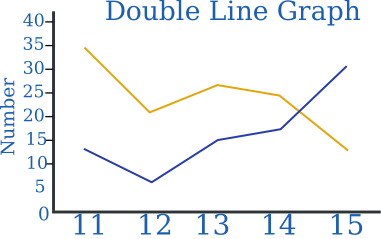
A double line graph is useful when we want to compare changes over time.
Raw Data
The table shows the daily temperature recorded in two cities over one week.
| Day | Jasperton (°C) | Arrowville (°C) |
|---|---|---|
| Mon | 18 | 22 |
| Tue | 19 | 21 |
| Wed | 20 | 23 |
| Thu | 22 | 24 |
| Fri | 21 | 22 |
Step 1: Set Up the Axes
- x-axis: Day
- y-axis: Temperature (°C)
Choose a scale that fits all the values.
Step 2: Plot the Data
- Plot the temperatures for Jasperton
- Join the points with straight lines
- Plot the temperatures for Arrowville on the same graph
- Use a different color or line style
- Add a key (legend)
Questions
- On which day was the temperature difference the greatest?
- Which city had the higher temperature most often?
Bar or Line?
Which graph should we choose?
- Use a double bar graph when comparing distinct categories or groups (like different students, classes, or genres)
- Use a double line graph when tracking changes over continuous time (like hours, days, or months)
Challenge
Collect your own raw data.
Ideas:
- Daily step count for two people
- Rainfall in two cities over a week
- Scores of two teams across several games
Create:
- one double bar graph
- one double line graph
Explain why each type of graph was suitable.